

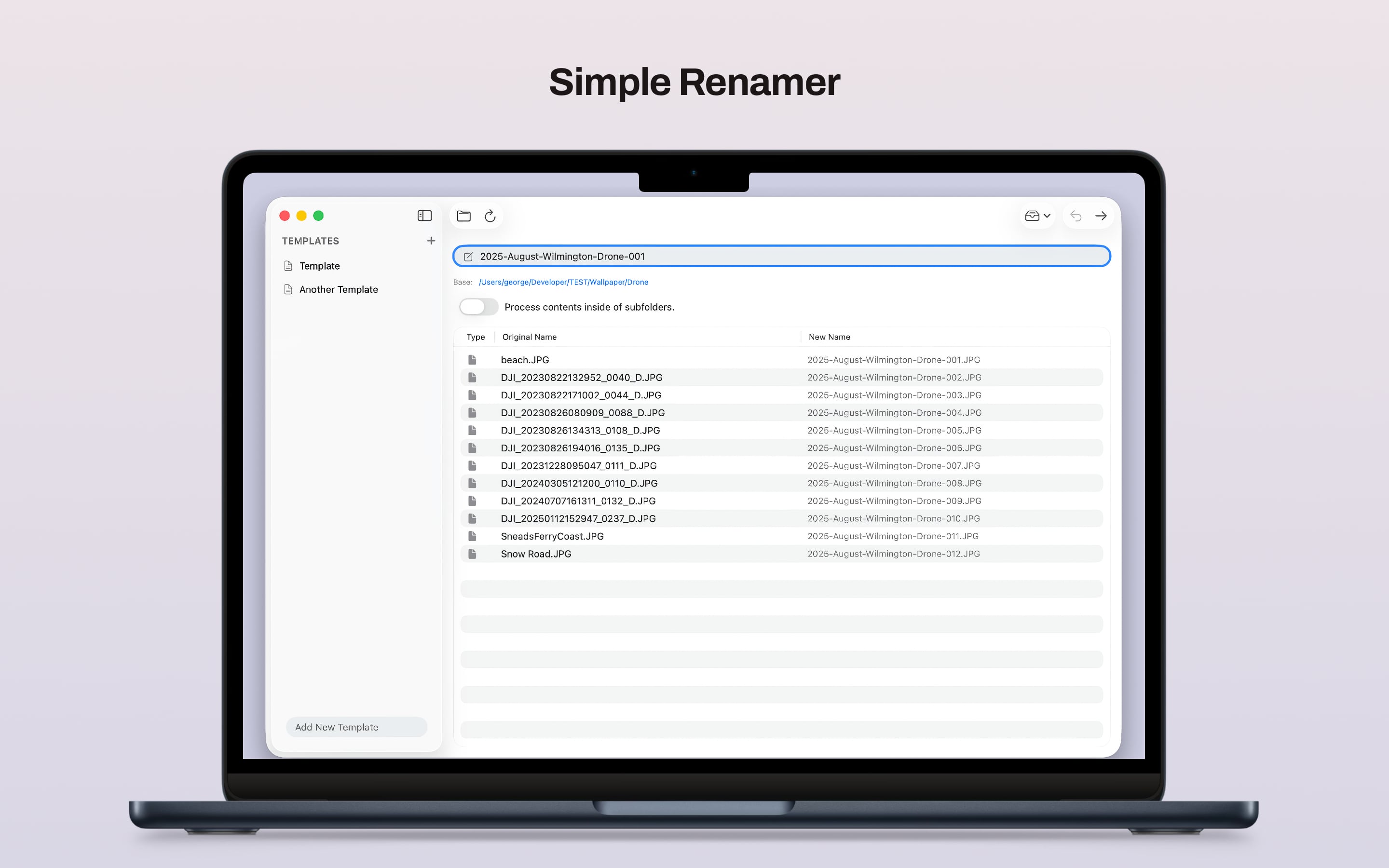
Preview Before You Commit
See original names and proposed new names side by side before anything changes, so you can catch mistakes early.
Simple Renamer makes batch renaming feel lightweight instead of tedious. Drop in a folder, choose a base name, preview the results, and rename files or folders with a clean Mac-native flow.
Simple Renamer focuses on the common rename jobs you actually do: photo folders, cleaned-up exports, numbered assets, and folder sets that need consistent names.
See original names and proposed new names side by side before anything changes, so you can catch mistakes early.
Keep a library of base names, import and export them, and quickly reuse the naming patterns you already rely on.
If a rename pass was not quite right, undo the last batch without manually reconstructing names.
Rename folders directly, or process files inside subfolders when you want to normalize sets without flattening the structure first.
Photo exports, scans, project assets, downloads, and archival cleanup all benefit from a fast rename tool that stays out of the way.
The interface stays straightforward: templates on the left, your current batch in the center, and a clear preview of exactly what will happen.
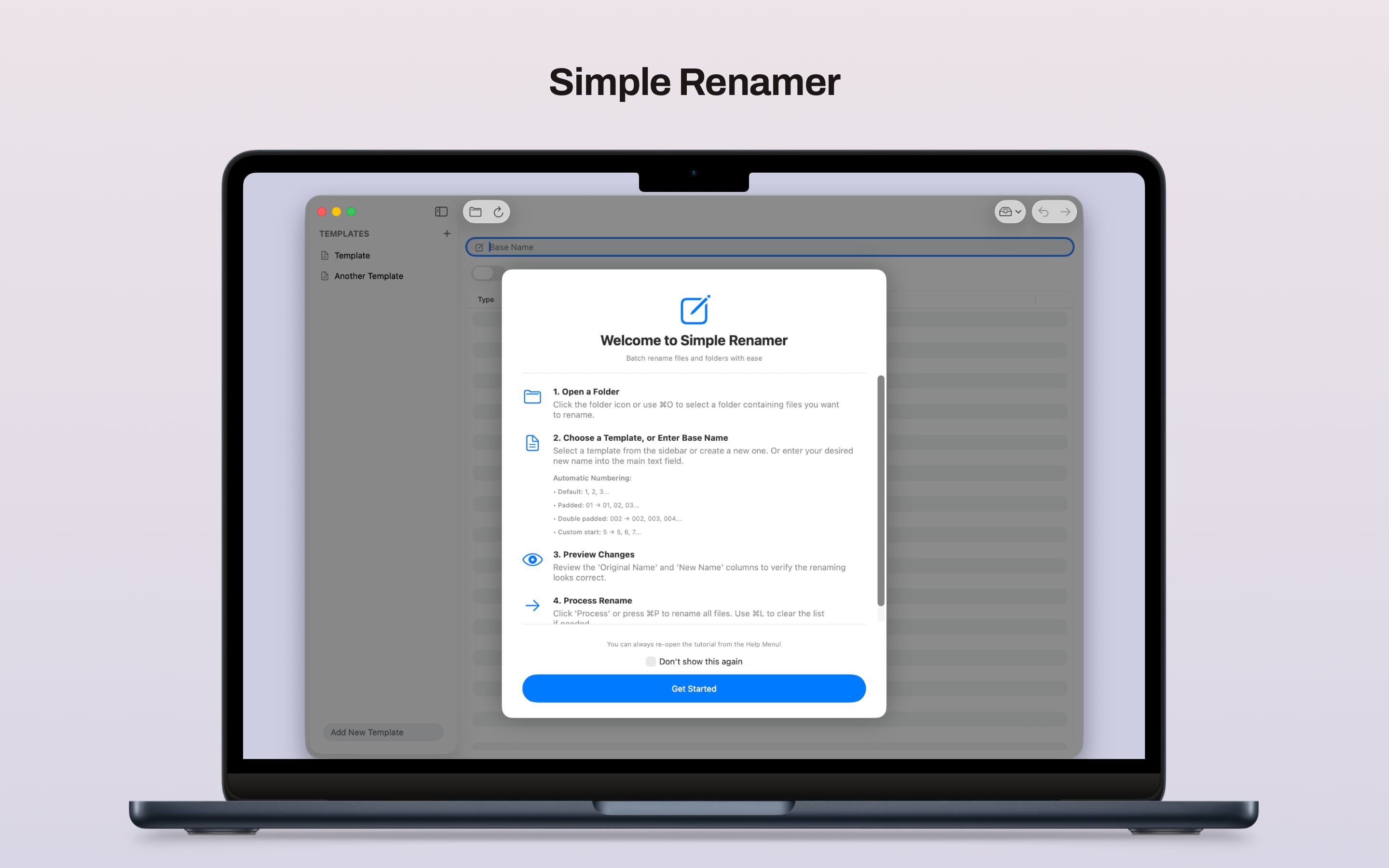
Select a folder of files, or drag files directly into the app to start a batch.
Type a base name, choose a saved template, or use the next-number helper to continue an existing sequence.
Check the proposed file names before processing so you know exactly what the batch will do.
Run a normal ordered rename, or use the shuffled option when you want randomized numbering.
Simple Renamer works locally on your Mac. No accounts, no online sync, and no cloud workflow required for the core app experience.